Danger mode
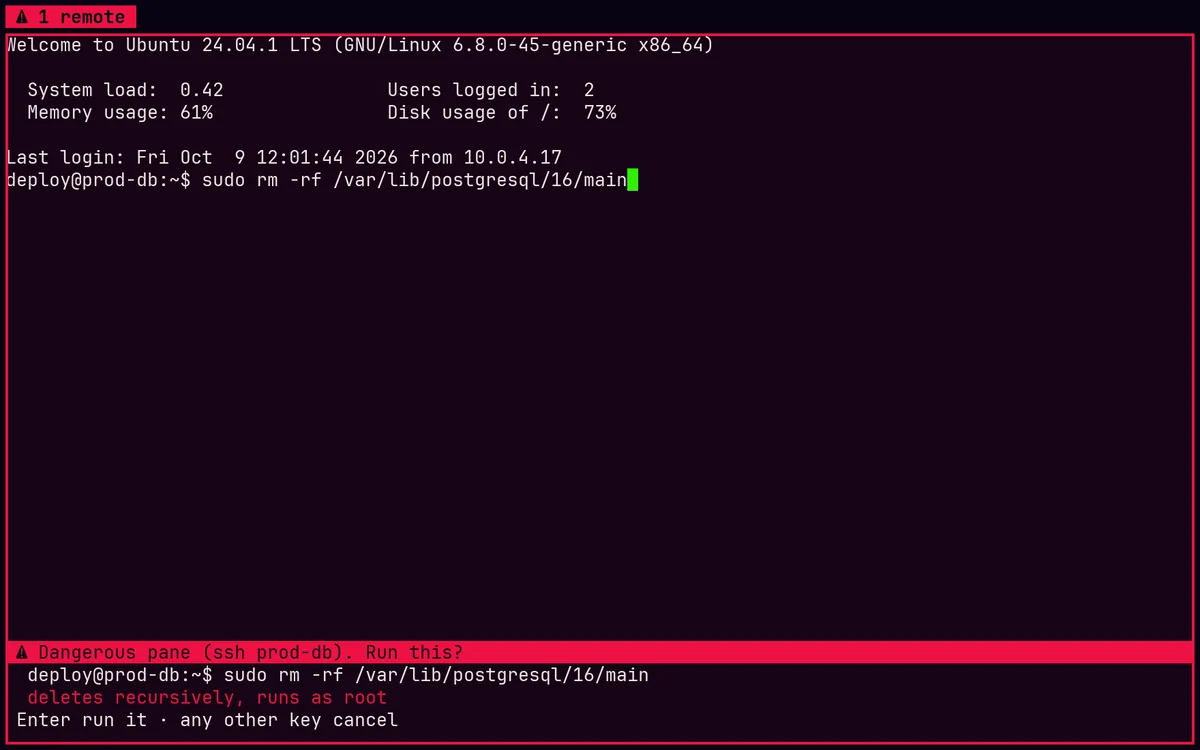
A pane on a production host, a root shell or a folder you mark turns red. Type rm -rf or git push --force there and Enter waits for a second Enter. Ctrl+Shift+D marks any pane.
GPU TERMINAL // v0.4.0 SHIPPED
Cyberterm is a native Rust terminal for developers. Splits, tabs and sessions that survive the window are built in. Every command becomes a block you can rerun, diff or search later. And when something breaks, it can explain why — with your consent, with any AI you like.
the workspace
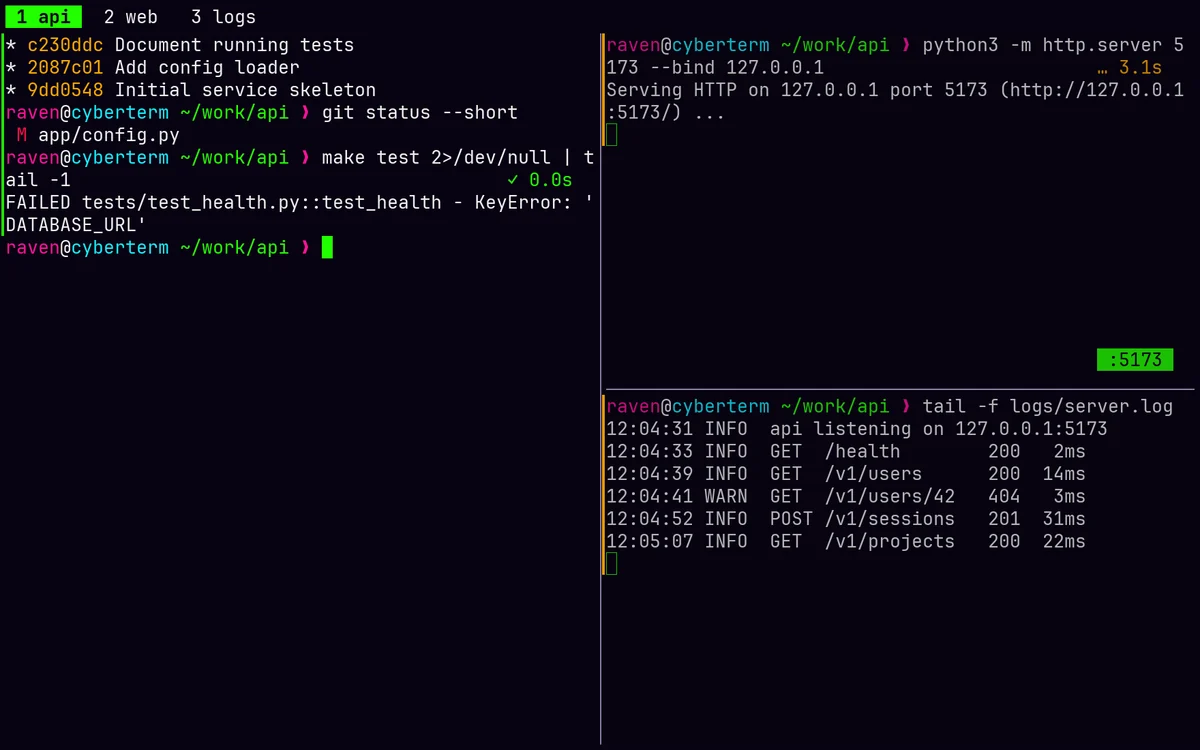
Splits and tabs with familiar keys, an optional tmux-style leader, and sessions that outlive the window.

leader = "ctrl+b" and keep your tmux habits.cyberterm +attach brings it all back — in a window, or inside any terminal over SSH..cyberterm/layout.toml and cyberterm +layout opens the whole project: server, tests, logs.cyberterm +ctl) lists, reads, types into and arranges panes from any script.command blocks
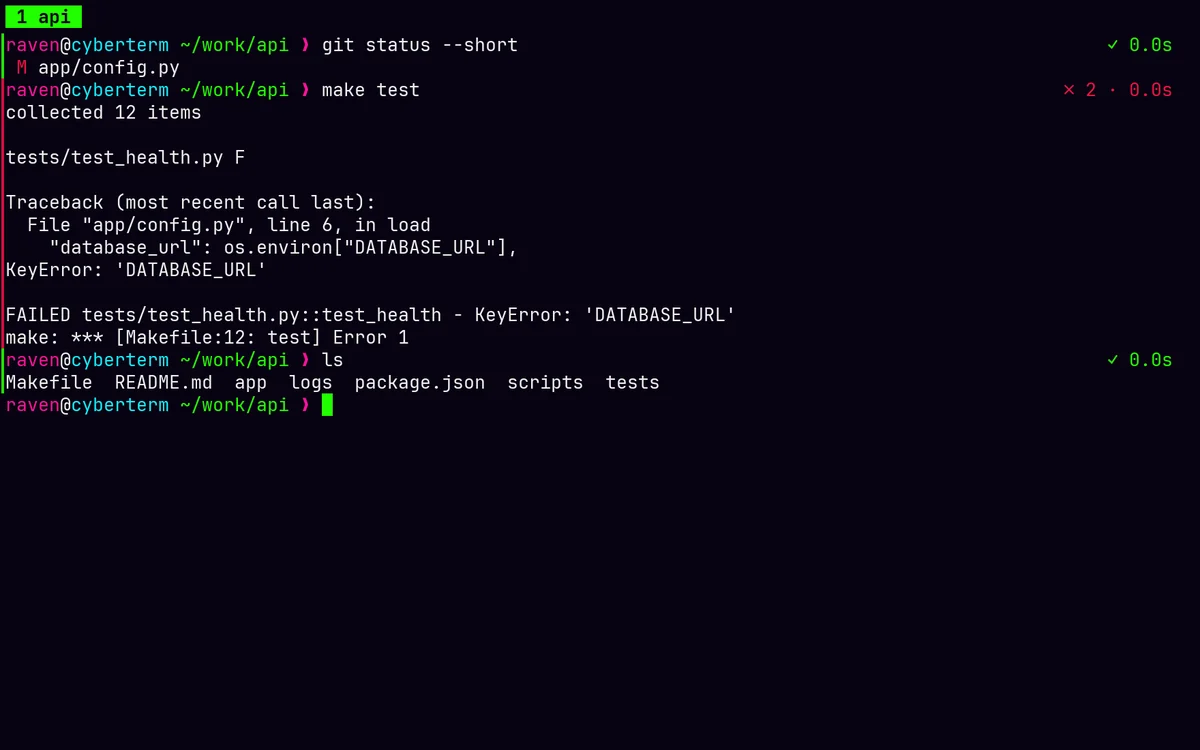
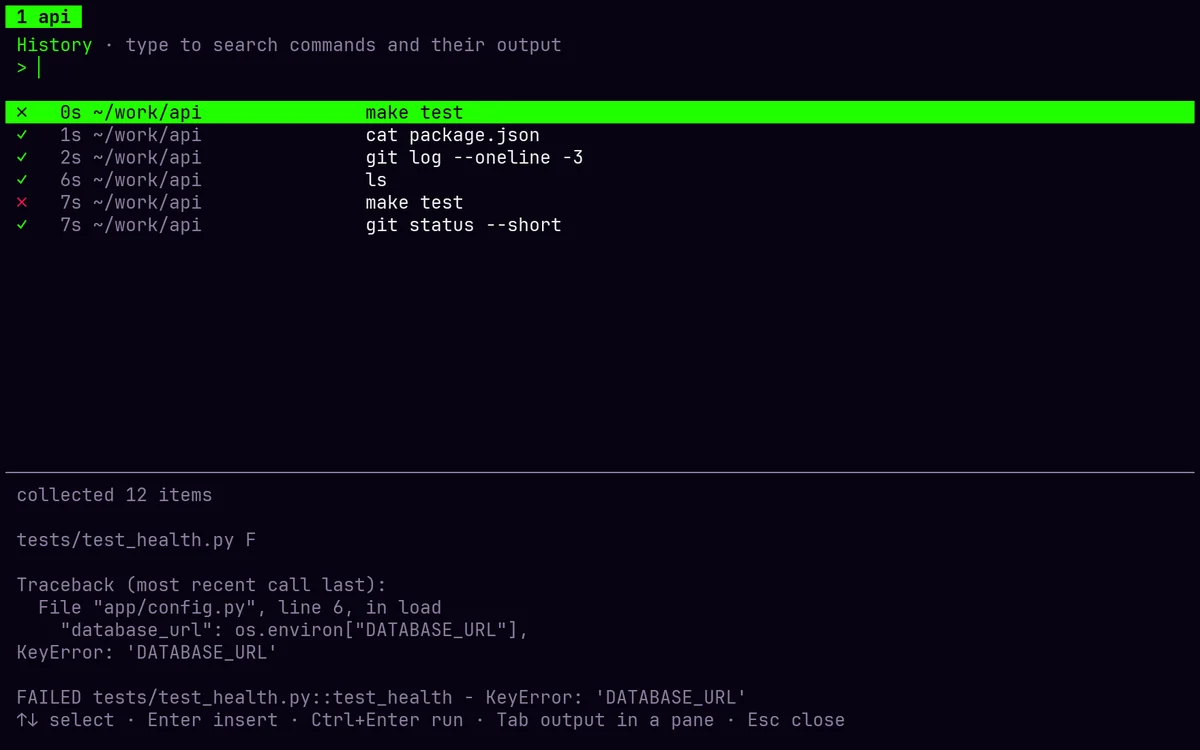
With shell integration (zsh, bash, fish), each command gets a colored gutter and a badge with its exit code and run time — and goes into a history you can search.


Ctrl+Shift+H or cyberterm +history.src/main.rs:42:7 opens in your editor at that line. JSON opens as a collapsible tree. Ctrl+Shift+F searches the scrollback.ai, both ways
Any AI you choose, connected in either direction — and nothing runs without you seeing it.


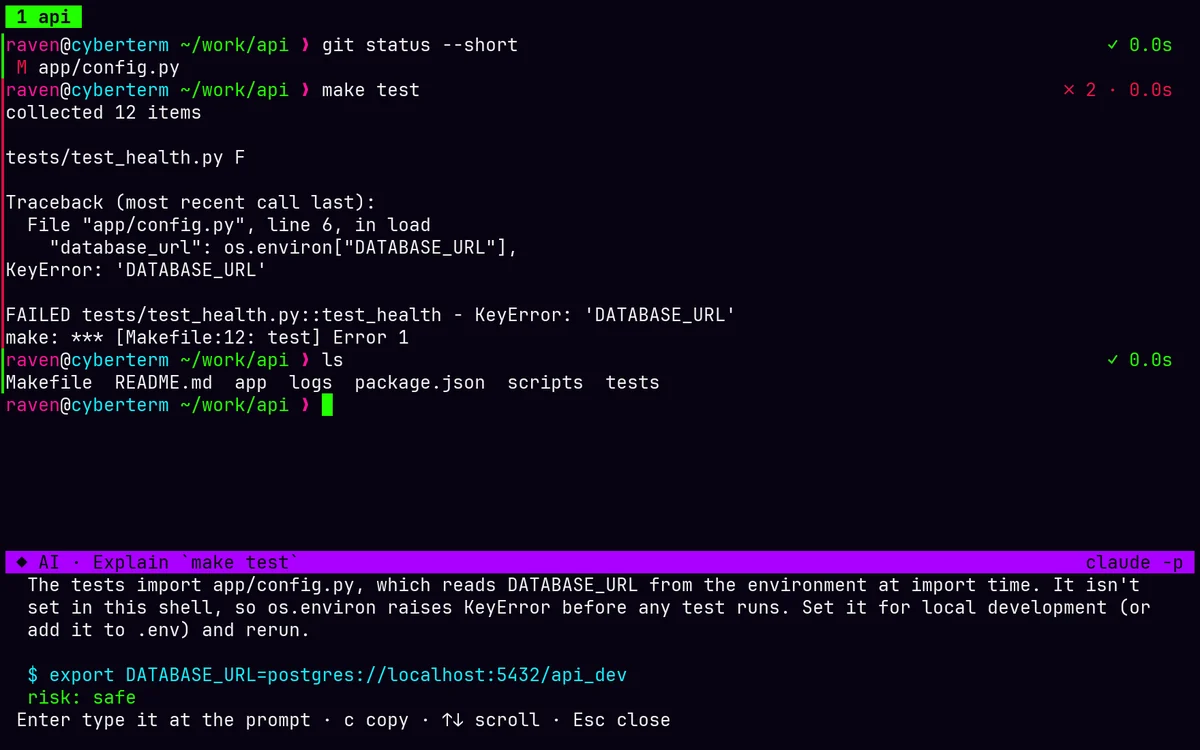
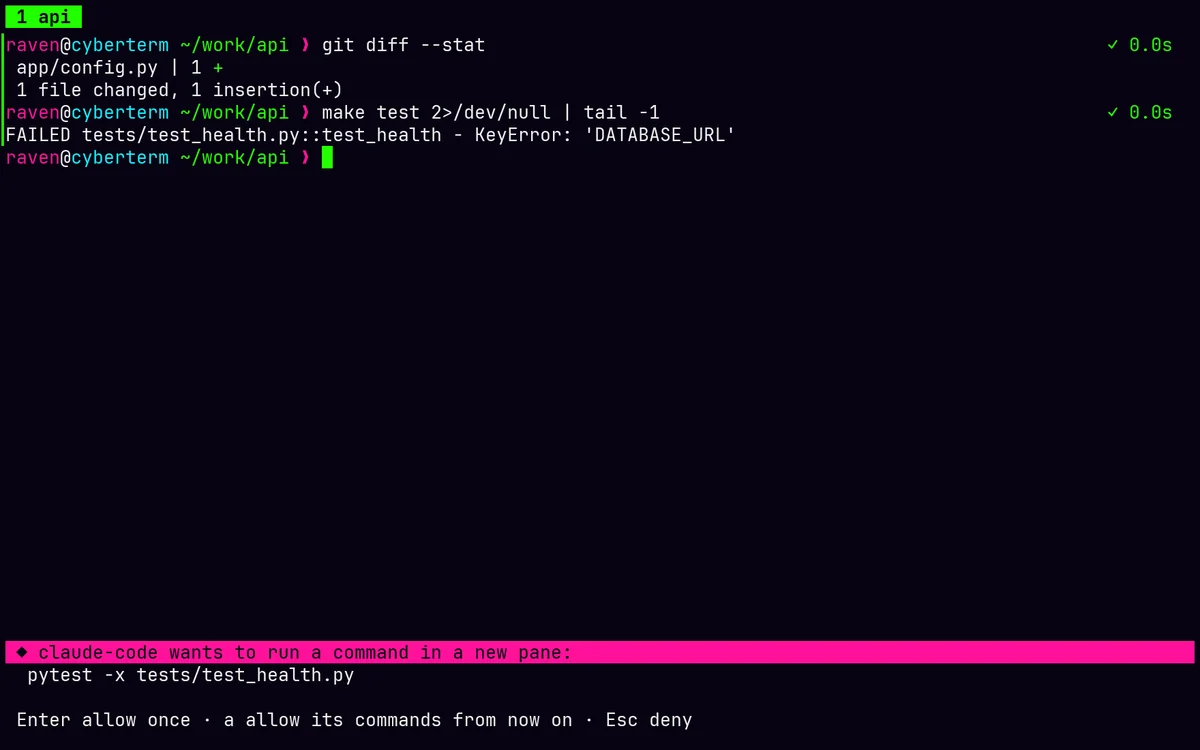
claude mcp add cyberterm -- cyberterm +mcp lets Claude Code, Codex, Gemini CLI, Cursor or Zed read panes and run commands in a new pane you can see. Everything asks first and is logged.Ctrl+Shift+J on a failed command: what went wrong and a fix, from the command, its output, your directory and git state.Ctrl+Shift+I: "undo my last commit but keep the changes". One command, a risk rating Cyberterm double-checks, typed at your prompt — never run.claude -p. Output is redacted before it's sent.agent workspace · parallel agents new in 0.4
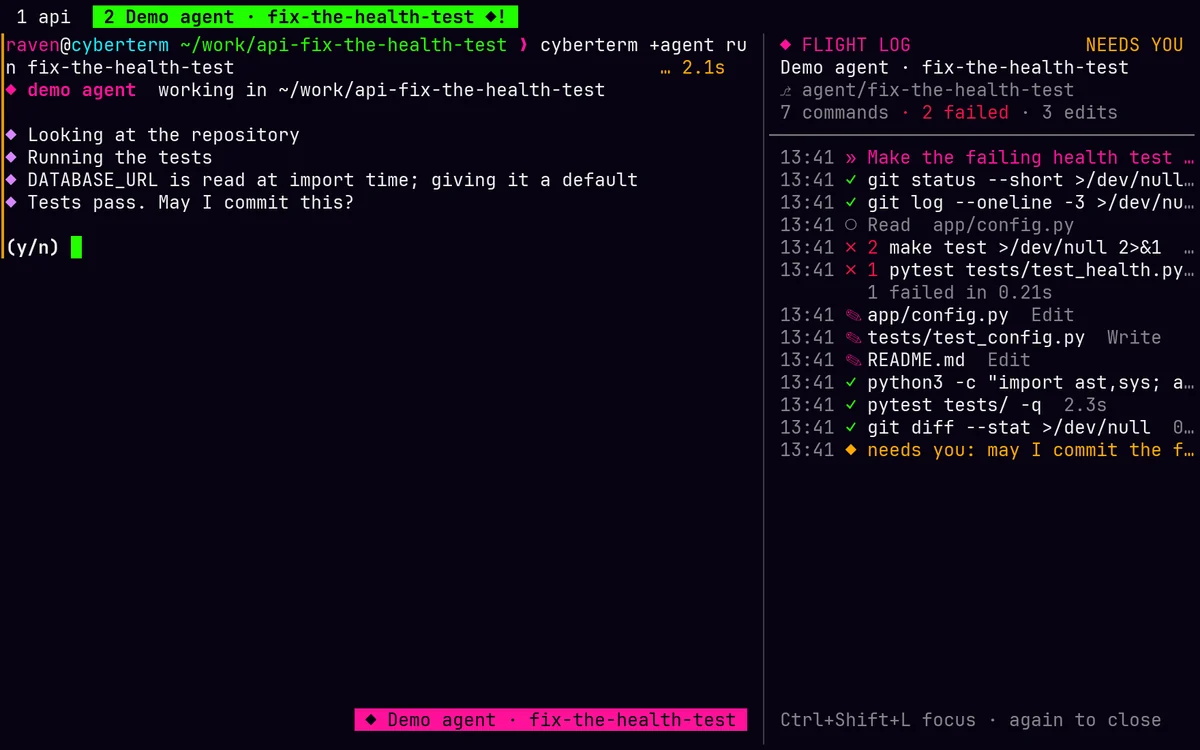
Claude Code, Codex, Copilot, Gemini, Cursor, opencode, Crush — whatever is on your PATH. Each one gets its own worktree, its own tab, and a flight log of everything it does.


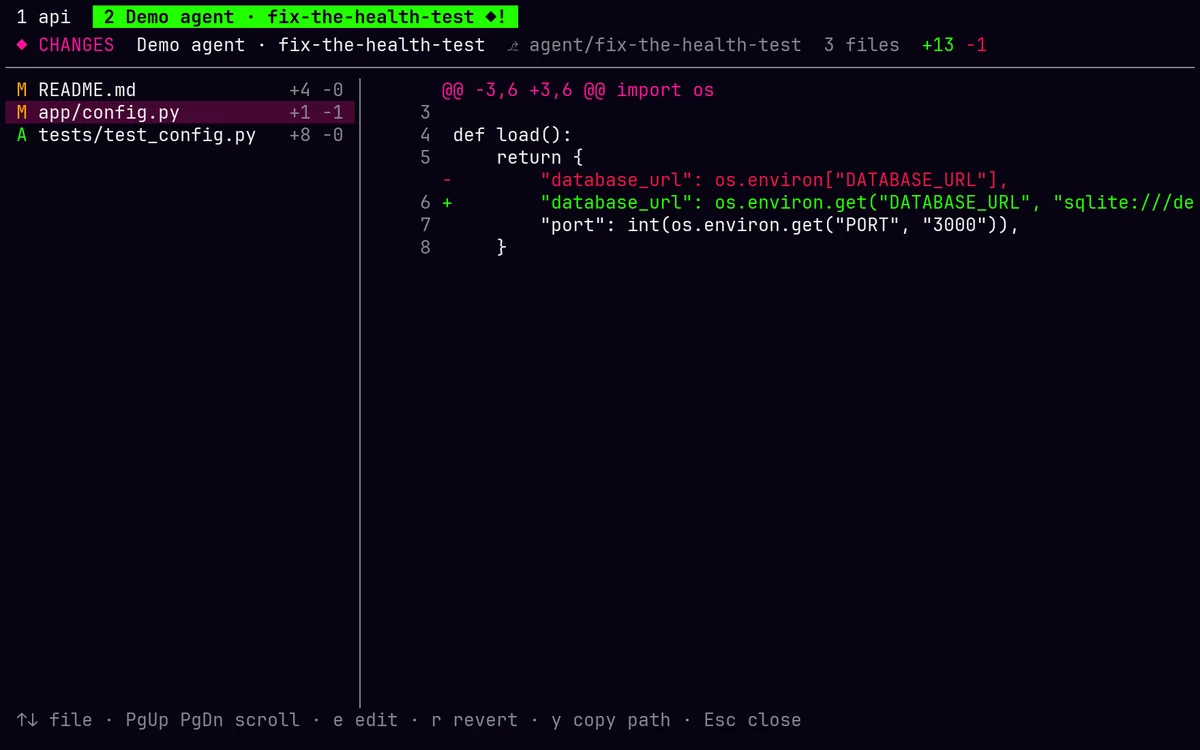
cyberterm +agent claude "fix the flaky test" opens a tab on a new branch in ../repo-fix-the-flaky-test. Agents never trample your checkout or each other.◆ working, ◆! needs you, ✓ done — and a desktop notification arrives when an agent you're not watching wants an answer.Ctrl+Shift+M: every change since the agent started, as a diff. Open a file at its first change, or put it back the way it was.cyberterm +agent claude,codex,gemini "fix the flaky test" gives each agent its own attempt, worktree and tab, so you can compare them side by side.Ctrl+Shift+S: every agent session at once, with its state, branch, lines changed and live flight log. Jump to its tab, open its Changes, merge or discard.+agent merge squashes an agent's work into the branch it started from, after checking for conflicts first; it changes nothing if it can't finish. Merging one attempt offers to discard the rest.cyberterm +agent on its own shows the agents found on your machine, how much each one reports, and your sessions, in your theme's colours.power features
Small, sharp tools for the moments that usually cost you.

A pane on a production host, a root shell or a folder you mark turns red. Type rm -rf or git push --force there and Enter waits for a second Enter. Ctrl+Shift+D marks any pane.

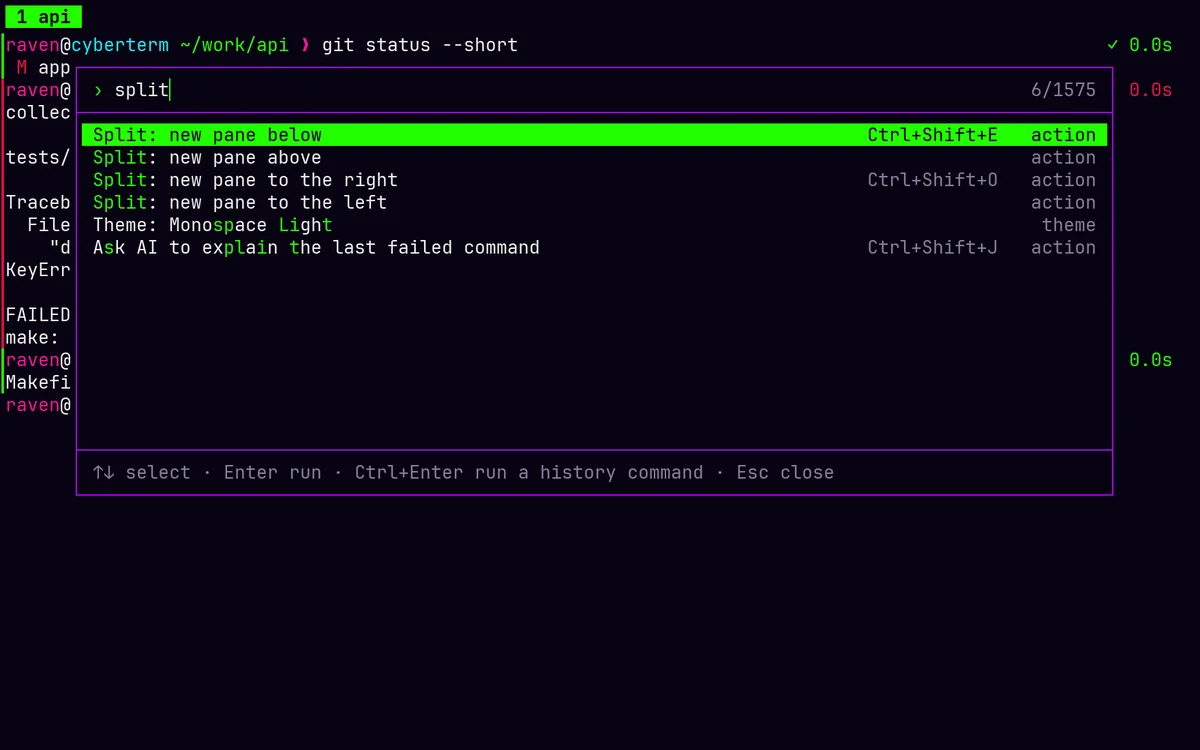
One fuzzy search over every action, your Lua commands, open panes and tabs, themes and recent commands. What you use often floats to the top.

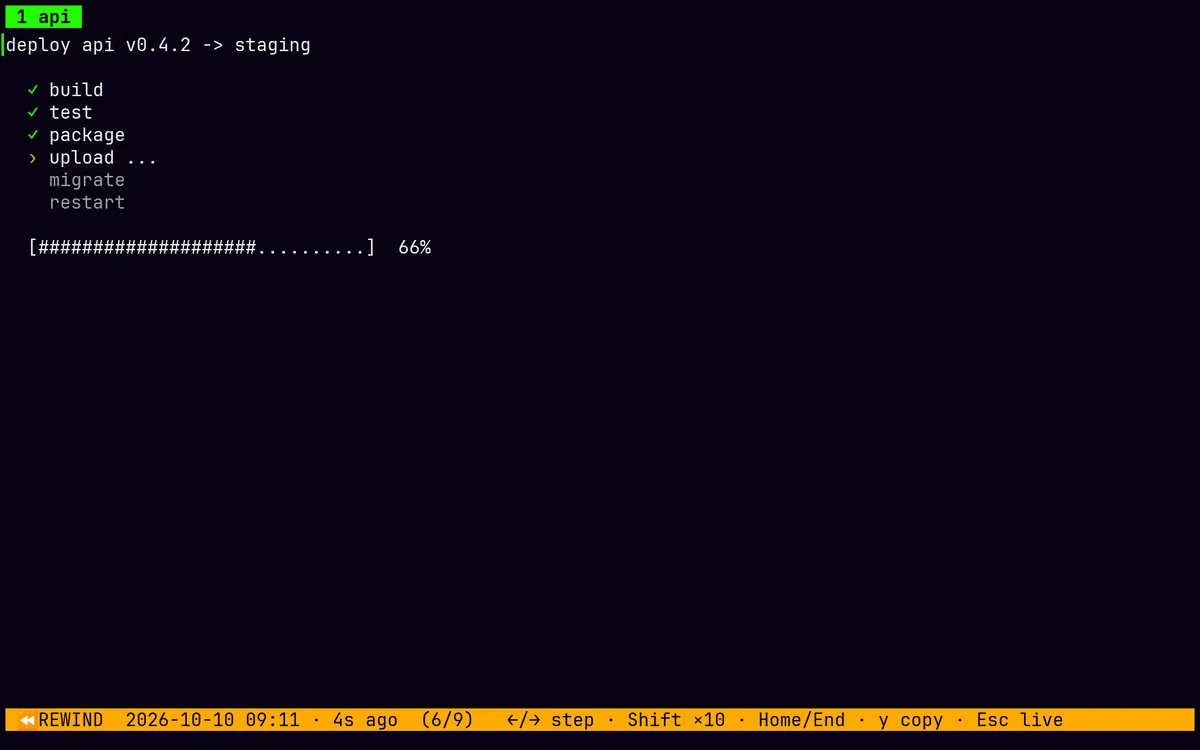
Ctrl+Shift+U steps back through what a pane showed: a TUI two minutes ago, output wiped by clear, a progress bar halfway through.

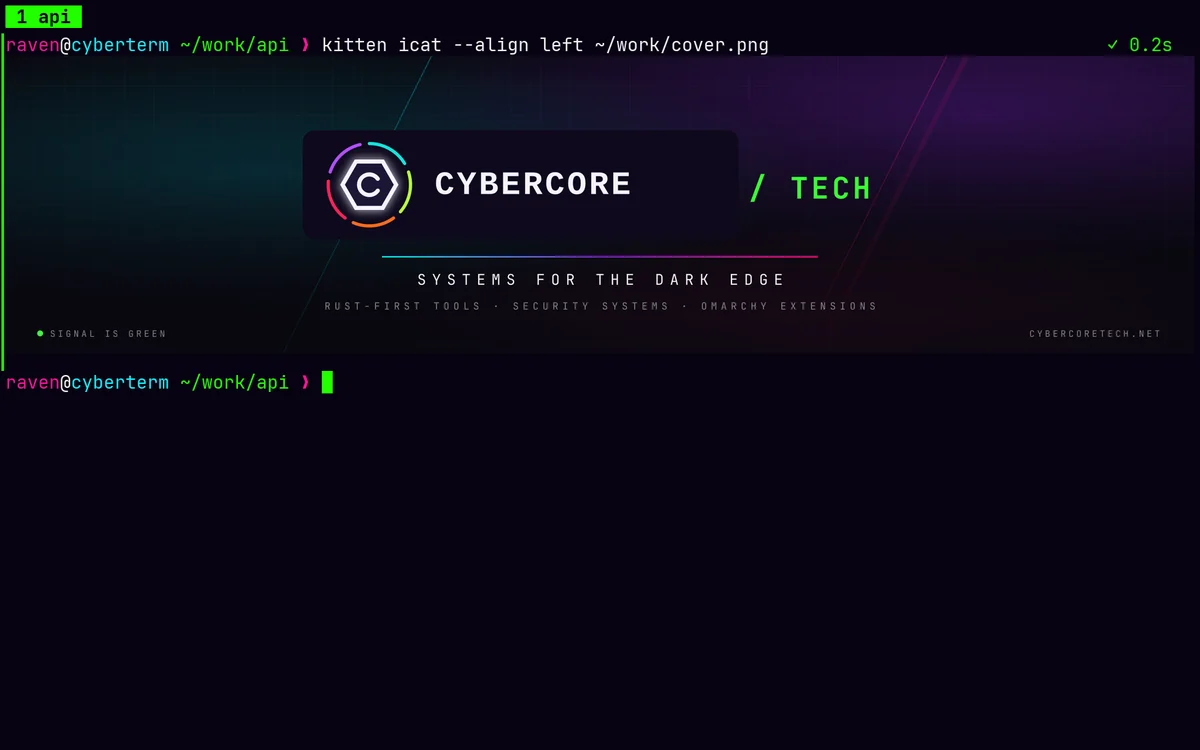
Speaks the kitty graphics protocol, so kitten icat and other kitty-protocol tools show real images right in the pane. They scroll with the text and appear in rewind.

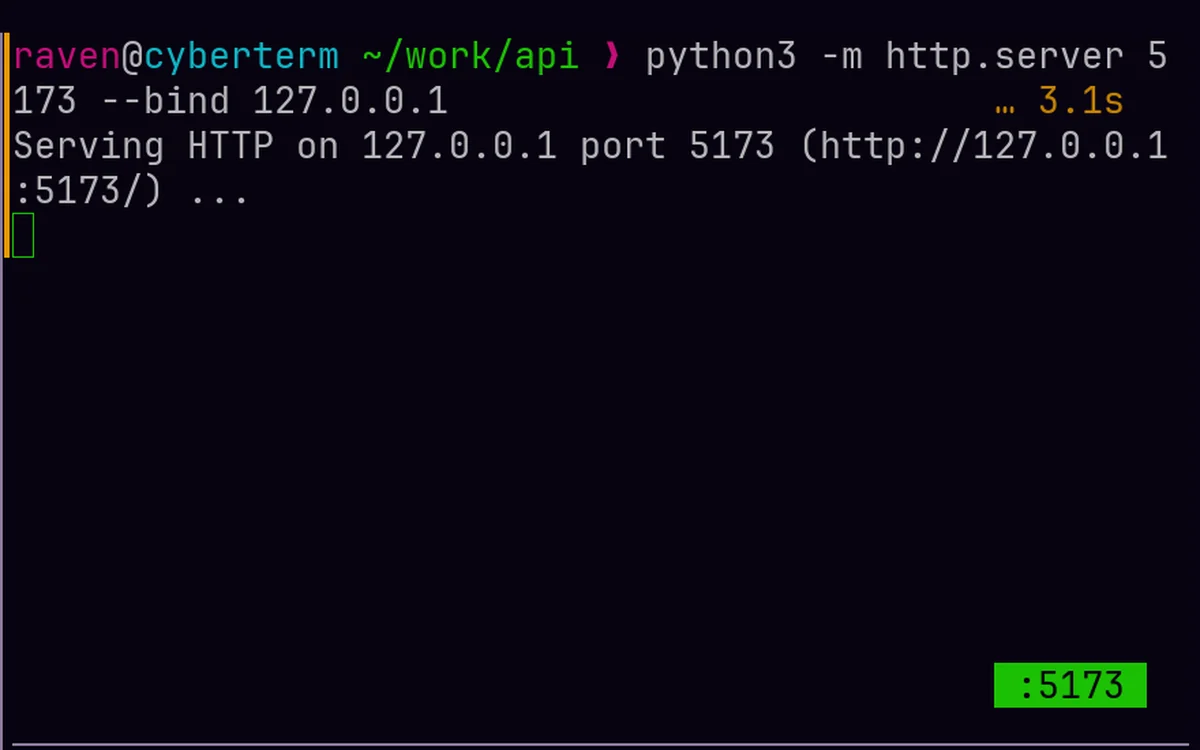
Start a dev server and a port chip appears on its pane. Click it to open the browser. Stop the server and it's gone.
Split a pane that's in an SSH session and the new pane opens on the same host, with the same options — and in the same directory when the remote shell reports it.
[[tab]] title = "api" cwd = "~/work/api" [tab.layout] split = "right" [[tab.layout.panes]] command = "npm run dev" [[tab.layout.panes]] command = "npm test -- --watch"
-- Show failures with their first line of output cyberterm.on("command_finished", function(ev) if ev.exit ~= 0 then cyberterm.status(ev.command .. " failed: " .. ev.output():match("[^\n]+")) end end) -- Ctrl+Alt+G: lazygit below cyberterm.bind("ctrl+alt+g", function() cyberterm.split{ direction = "down", command = "lazygit" } end)
keys worth knowing

This page right now: cyberterm classic
theme engine
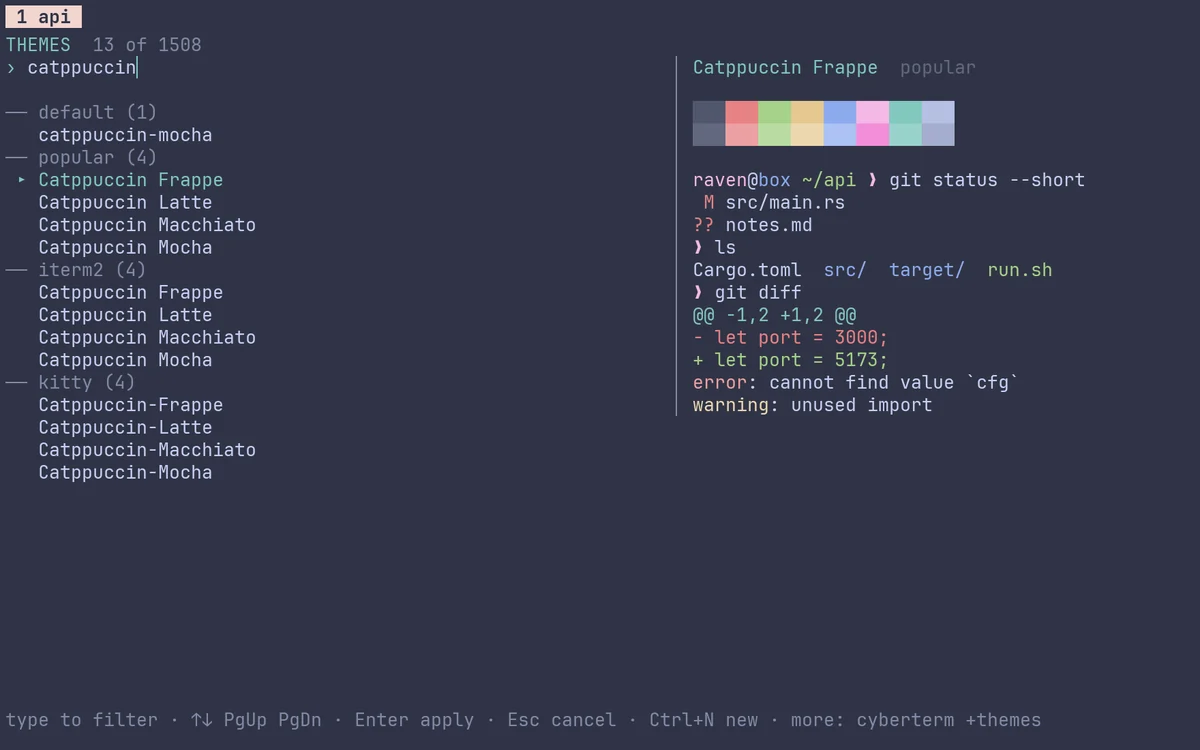
129 themes come with Cyberterm, and the big collections are one command away. The picker filters as you type and previews the whole window live. Try the theme menu at the top of this page: it uses the same shared Cybercore palettes.
# add more (each keeps its own license) cyberterm +themes install iterm2 cyberterm +themes install all # 1,500+ themes
Open the picker with Ctrl+Shift+, · Choosing a Cybercore theme switches every Cybercore app · Any Kitty .conf theme drops in unmodified
boot sequence
Prebuilt for Linux (x86_64, ARM64) and Apple Silicon Macs, packaged on the AUR, or built from crates.io.
curl -fsSL https://raw.githubusercontent.com/cybercore-tech/cyberterm/main/install.sh | shDownloads the latest release, checks its SHA-256 and installs to ~/.local/bin.
yay -S cyberterm-binPrebuilt, with a desktop entry and icon. Or yay -S cyberterm to build it from source.
cargo install cybertermNeeds Rust 1.88+ and a C compiler (for the embedded Lua).
eval "$(cyberterm +shell-integration zsh)"Add to ~/.zshrc (or use bash / fish). Command blocks, history and AI explanations rely on it.
Docs and every option: README ↗ · Releases ↗ · crates.io ↗